Project preview accuracy
Improve how users place artwork on real material, check scale, and confirm the job before the beam starts.
Modern laser work depends on more than beam power. Glowforge develops the interaction layer around the machine: visual placement, guided settings, project libraries, material learning, and collaboration tools that help people move from design intent to a clean physical result.
Explore the Roadmap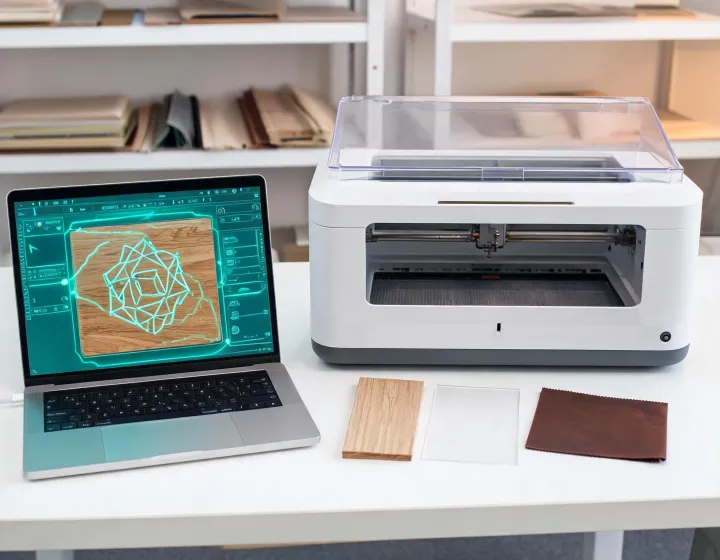
Improve how users place artwork on real material, check scale, and confirm the job before the beam starts.
Expand the knowledge layer around thickness, finish, engraving density, and cut behavior for common studio materials.
Help classrooms and teams organize jobs, review prepared files, and keep shared laser time predictable.
Laser systems can look similar on a specification sheet, but daily use is shaped by alignment, setup confidence, content access, and how easily a team can repeat the same project tomorrow. Glowforge keeps development focused on that operator experience.
Camera-guided placement gives the user a direct reference between digital artwork and physical stock.
Browser-based preparation lets teams manage files without isolating the laser at one dedicated computer.
Practical recipes reduce early mistakes and support consistent results across repeat projects.
Stock recommendations and supplier conversations help teams understand how a sheet will cut, engrave, and finish.
Lesson-ready project ideas help instructors turn laser access into repeatable learning moments.
Small businesses can connect laser personalization with product packaging, display, and customer-facing details.
Guidance around setup, ventilation, maintenance habits, and project planning keeps the machine useful over time.
Tell Glowforge what you want to make, which materials matter, and how your team shares project work.
Request an Innovation Brief